IT Network Support: What It Covers, and What Breaks Without It
Search "IT network support" and you get two kinds of company: one that will come out and fix a switch when it dies, and one that manages the network so it does not die on a Monday morning. Both use the same three words. The difference is roughly the difference between a tow truck and a service plan, and it is almost never explained on the page you land on.
This guide sets out what a business network actually consists of, what network support covers at each level, the handoff problem that turns a two-hour internet outage into a two-day one, and the questions that tell you which of the two companies you are talking to. It is written by a provider — IT Rapid Support, at 7810 Keele St in Vaughan — so read the recommendations with that in mind and put the same questions to anyone else on your shortlist.
What Is Actually on Your Network
Most owners of a ten-to-eighty person business could not draw their own network, and there is no shame in that. It accumulated. Somebody's brother-in-law ran the cable, the internet provider left a box, an access point was added when the back office complained, and a switch was bought the year the office expanded.
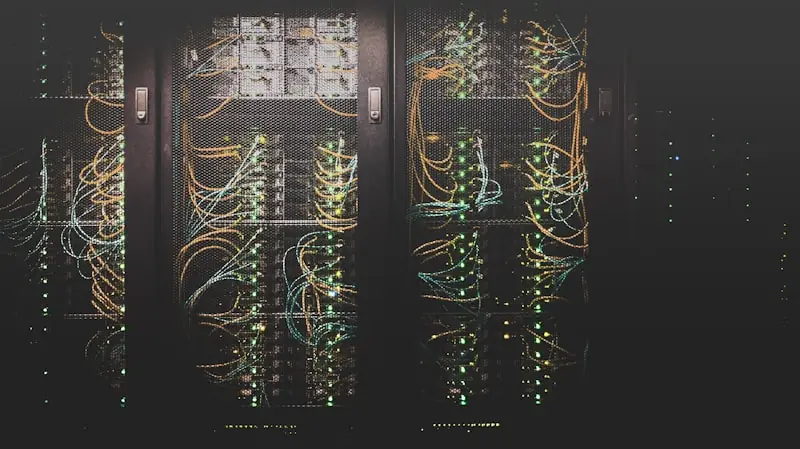
What is almost always there: an internet circuit and the provider's modem or ONT; a firewall or router that everything passes through; one or more switches that the desks, printers and cameras plug into; wireless access points; the cabling between all of it; and, increasingly, a VPN or remote-access arrangement so people can work from home. Often there is also a phone system, a set of cameras or a door controller, and a printer or two with an IP address that nobody has written down.
Every one of those is a device with firmware, a configuration, a password and a way to fail. Network support is the work of keeping that list known, current, documented and watched — and having somebody to call when one of them stops.
The Three Things People Mean by Network Support
The phrase covers three quite different arrangements, and a provider can honestly claim it while supplying only the first.
The first is reactive support. Something breaks, you call, somebody comes or dials in and fixes it, and you are billed for the time. This is real work and there is nothing wrong with it, but the cost lands unpredictably and always on the day you can least afford it. It also means nobody is looking at the network between failures, so the failures arrive as surprises.
The second is managed network support. The network is documented and monitored continuously, firmware and configuration are maintained, capacity and Wi-Fi coverage are reviewed, and problems are usually raised by the provider rather than by you. The commercial shape is different too — fixed monthly pricing rather than hourly billing, which is what makes prevention worth doing rather than something that costs the provider money.
The third is network security, which is a related but separate discipline: segmentation, firewall policy, secure remote access, and detection of behaviour that suggests an intrusion rather than a fault. We keep it separate deliberately, and it has its own guide — network security services for Toronto and GTA businesses — because collapsing the two is how a business ends up believing a monitored network is a defended one.
When you compare quotes, work out which of the three you are being offered. A proposal saying "network support included" that turns out to be reactive-only is not dishonest, but it is a very different purchase from one that says the same words and means the second.
What Managed Network Support Should Cover
Six things, and it is worth asking for them by name.
Documentation and inventory. A current record of every device on the network, where it is, what it does, what firmware it runs, and how it is configured. Without this, every incident starts with an hour of discovery, and every quote for a change is a guess. It is also the single item most often missing when a business changes provider.
Configuration management and backups of configs. Firewall rules, switch settings and wireless profiles should be backed up in a form that can be restored to a replacement unit. When a firewall dies, the difference between a two-hour recovery and a two-day one is whether somebody has last year's configuration or is rebuilding it from memory.
Firmware and patching. Network equipment runs software and that software gets vulnerabilities. Firewalls in particular have been a favourite target, and a firewall running unsupported firmware is a security problem sitting at the front door of the business. Part of the job is knowing when a device has reached end of support, which is a purchasing conversation, not a technical one.
Monitoring. Whether the circuit, firewall, switches and access points are reachable, whether a link has started dropping packets, whether a device rebooted without anyone scheduling it. This is the same infrastructure layer we describe in what business IT monitoring actually watches, applied to the network rather than the servers.
Capacity and coverage review. Bandwidth against what the business now does, switch ports against how many things are now plugged in, and Wi-Fi against where people actually sit. Offices grow into their networks quietly and then blame the internet.
Change and escalation ownership. Somebody who owns the problem end to end, including the parts that belong to other companies. Which brings us to the thing that actually costs businesses days.
The Handoff Problem
When a network problem crosses a company boundary, it usually stops moving.
A typical GTA office has at least four parties with a claim on the network: the internet provider who owns the circuit, the IT provider who owns the equipment, a cabling contractor who ran the wire, and the building or landlord who owns the riser and the demarcation point. When the internet drops, the internet provider tests to their demarc, finds it clean, and closes the ticket. Nothing is wrong at their end. Nothing is wrong at yours either, as far as anyone can see.
The days get lost in the gap. The question that closes it is simple and worth asking before you sign anything: when the circuit goes down, who calls the carrier, and do they own the ticket until it is fixed? A provider who will open, chase and escalate the carrier ticket on your behalf — with your account details already on file — is offering something materially different from one who tells you it is an ISP issue.
The same applies to a phone system, a camera vendor or a line-of-business software supplier who blames the network. Somebody has to be willing to prove where the fault is rather than assert where it is not. We cover the equivalent question for telephony in the business VoIP buyer's guide, because voice quality is where this argument happens most often.
Wi-Fi Is the Most Complained-About and Least Diagnosed
Wireless generates more complaints than anything else on a business network and gets less real diagnosis, because "the Wi-Fi is bad" is a symptom with at least six causes.
It might be coverage — not enough access points, or the wrong places, which is a floor-plan problem rather than a hardware problem. It might be interference or channel overlap, which in a multi-tenant building is often caused by the neighbours rather than by you. It might be capacity: an access point that was fine for fifteen devices and is now serving fifty phones, laptops and tablets. It might be the uplink: a fast wireless network plugged into a saturated internet circuit is a fast route to a queue. It might be a client problem on one make of laptop rather than a network problem at all. Or it might be that the access points are years past the standard the current devices expect.
The reason this matters commercially is that each cause has a different price. Replacing hardware fixes one of them. A provider who reaches for new access points without a coverage check is selling you a guess, and a provider who says the words "we would want to survey before quoting that" is telling you something useful about how they work.
Remote and Hybrid Changed What the Network Is
For most businesses the network is no longer only the office. People work from home on connections nobody controls, on devices that may or may not be managed, reaching systems that increasingly sit in Microsoft 365 and Azure rather than in the server room.
That shifts part of the job from the wire to identity. Enforced multi-factor authentication, conditional access, and managed endpoints do more for a hybrid workforce than any change to the office switch — which is why Microsoft 365 and Azure administration and network support increasingly have to be bought from people who talk to each other.
It does not make the office network irrelevant. It makes it the place where the shared things still live — the printers, the phone system, the cameras, the one server that has not moved yet, and the circuit that everyone in the building depends on. What it changes is the failure you should plan for: a single internet circuit with no failover used to mean a quiet afternoon, and now means nobody can work at all.
Signs a Network Is Under-Supported
None of these are dramatic, which is why they are usually tolerated for years.
Nobody can produce a current network diagram or device list. Recurring problems get resolved by restarting something, and the same restart appears in the ticket history four times. Devices are still in place that the manufacturer no longer issues firmware for. There is one internet circuit and no plan for the day it fails. The Wi-Fi password has not changed since an employee who has left set it. Guests and staff are on the same network as the cameras and the payment terminal. And every network conversation ends with two suppliers pointing at each other.
Any one of these on its own is survivable. Three or more together is a network being operated on luck, and the fix is usually cheaper than the outage that ends the run.
Questions Worth Asking a Provider
Will you document our network, and do we get a copy? Ask whether the documentation is yours to keep if you leave.
Do you back up device configurations, and how quickly can you restore one to a replacement firewall?
How do you track firmware and end of support on network equipment, and who tells us when something needs replacing?
When the internet circuit is down, do you open and own the carrier ticket, or do we?
Is monitoring of network devices included, and what specifically is watched?
How do you approach Wi-Fi problems — do you survey, or do you quote hardware?
Is network security included in this price, or priced separately? Both answers are fine; the ambiguous one is not.
What is on site versus remote, and what is the arrangement when something needs hands on the hardware?
There is a wider version of this exercise, covering the whole managed agreement rather than the network alone, in how to compare managed IT quotes, plus a free quote comparison tool if you have proposals in front of you now.
Across Toronto, Mississauga and Burlington
The pattern of network work changes noticeably across the GTA, mostly because of what the buildings are.
In Toronto the common case is a multi-tenant office floor, where the riser and the demarcation point belong to the building and half the wireless interference belongs to the neighbours. The work is disproportionately about coordination — with property management, with the carrier, and with whoever installed the previous tenant's cabling and left it in place.
In Mississauga, a lot of the base is office-and-warehouse combined, and the network has to cover both: a carpeted front office with normal density, and a warehouse or shop floor where coverage has to reach shelving, scanners and a loading door. Those are different wireless problems in one building, and the mistake is treating them as one.
In Burlington and the rest of Halton, sites skew to standalone commercial and light industrial units along the QEW corridor, which more often means a single internet circuit with no realistic second carrier in the building, and a longer wait for a truck roll when something physical fails. Redundancy planning matters more there, not less.
Our head office is on Keele Street in Vaughan, and on-site work across the GTA is dispatched from it. The 24/7 helpdesk covers all of the above on the same terms.
Common Questions
What is the difference between IT support and network support?
IT support usually means the people, the workstations and the applications — somebody cannot print, a laptop will not start, a mailbox is misbehaving. Network support is the shared infrastructure underneath: the circuit, firewall, switches, access points and cabling that everyone depends on. Most businesses need both, and in a managed agreement they come from the same team, which is the point of buying them together.
Do we need network support if everything is in the cloud?
Yes, and arguably more. When applications and files live in Microsoft 365, the internet circuit and the firewall stop being convenience and become the thing the entire business runs on. Cloud migration reduces what you run on site; it increases how much depends on the connection getting there.
How often should network equipment be replaced?
There is no single number, and any provider quoting one is guessing about your equipment. The real trigger is end of support: once the manufacturer stops issuing firmware, the device is a security exposure regardless of whether it still works. Tracking that date across your equipment is part of the job, and it should be raised with you as a budget item well before the deadline rather than after it.
Can you support a network you did not install?
Yes. Taking over an undocumented network is normal work, and the first phase is discovery — inventory, configuration capture and documentation — so that everything afterwards is based on what is actually there rather than what anybody remembers.
Is network monitoring the same as network security?
No. Monitoring tells you a device is unreachable or a link is degraded. Security is about controlling what can talk to what, hardening the firewall, segmenting the network, and detecting behaviour that indicates an intrusion. We cover the detection side in the managed detection and response guide and the controls under managed security.
Does a small office really need a business firewall?
The router an internet provider supplies is built to deliver a connection, not to protect a business. A business firewall gives you controlled remote access, separation between staff, guests and devices like cameras or payment terminals, and firmware that is maintained on a schedule. On a network with staff, customer data and cloud accounts on it, that separation is the part worth paying for. Where card payments are involved, we go into the segmentation in more detail in the guide to IT support for retail stores.
What about compliance — does this help with PHIPA or PIPEDA?
The obligations sit with your business, not with your provider. What network controls can honestly do is help you meet them: access control, segmentation, logging, secure remote access and evidence that the controls exist. Any provider describing a product as making you compliant is overselling it.
Working With Us
IT Rapid Support provides managed IT and cybersecurity for businesses across the Greater Toronto Area from our head office at 7810 Keele St, Vaughan, Ontario. On the network side that means documented and monitored firewalls, switches and wireless, firmware and configuration maintained on a schedule, ongoing network management and network security services, and a 24/7 helpdesk with on-site dispatch when the work needs hands on hardware. Alongside it: Microsoft 365 and Azure administration, enforced multi-factor authentication, managed endpoint protection with round-the-clock threat detection and response, email authentication with SPF, DKIM and DMARC, and monitored backups with tested restores — on fixed monthly pricing.
If you do not currently have a network diagram, that is the place to start and it is a reasonable thing to ask for. Call (289) 582-9930 or get in touch and we will tell you what is on your network and what is not being watched.
Share this resource

IT Rapid Support Team
Managed IT & Cybersecurity, GTA
IT Rapid Support Team is a security expert with extensive experience in creating security guidelines.
More from this authorFurther Reading
Related Resources
Business IT Monitoring: What 24/7 Monitoring Actually Watches, and What It Misses
What business IT monitoring actually watches — servers, endpoints, backups, network gear and Microsoft 365 — and how to tell it apart from a dashboard nobody reads.
Read more: Business IT Monitoring: What 24/7 Monitoring Actually Watches, and What It Misses
IT Services Thornhill: Managed IT on Both Sides of Yonge Street
IT services and managed IT services in Thornhill: the Vaughan side, the Markham side of Yonge Street, and what to check before you hire a provider.
Read more: IT Services Thornhill: Managed IT on Both Sides of Yonge Street
IT Support in Durham Region: What Businesses in Pickering, Ajax, Whitby and Oshawa Should Expect
What managed IT support looks like across Durham Region — coverage from Pickering to Oshawa, on-site reality, and what to check before you hire a provider.
Read more: IT Support in Durham Region: What Businesses in Pickering, Ajax, Whitby and Oshawa Should ExpectNeed Expert Security Advice?
Our team of cybersecurity experts is ready to help you secure your organization. Schedule a free consultation today.
Get in Touch