IT Support for Logistics Companies: Mississauga Warehouses and 3PLs
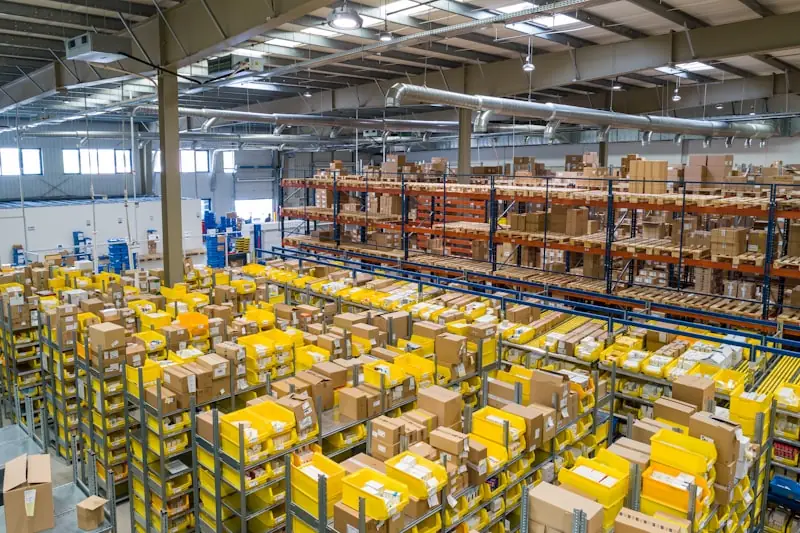
IT support for logistics companies means keeping freight moving: the warehouse management system, the scanners and Wi-Fi on the floor, the label printers at the dock, the EDI and carrier integrations, and the people who answer when one of them fails on a night shift. A logistics IT provider is judged on three things an office never tests: round-the-clock response, uptime for systems that run in shifts, and protection against the payment fraud and ransomware that target freight businesses. This guide is written for Mississauga warehouses and third party logistics (3PL) providers, and the same checklist applies to distribution and freight operations anywhere in the GTA.
Drive the block between Derry Road, Dixie Road and the Pearson cargo aprons and you pass more loading docks than storefronts. The Airport Corporate Centre, Malton and the industrial belt along Highway 401 and 410 hold third party logistics providers, freight forwarders, customs brokers and distribution centres that run around the clock. Their IT problems look nothing like an office's. When the warehouse management system stalls at 2 a.m., trucks sit at the dock, carrier cutoffs get missed and a customer's own service levels start to slip. This guide covers what IT support has to do differently for a Mississauga warehouse or 3PL, and how to tell whether your current arrangement is up to it.
Downtime in a warehouse is measured in trucks, not tickets
In an accounting office an outage is an inconvenience. In a distribution centre it is a queue of drivers on detention time, a wave of pick lists that never printed and a shift supervisor calling a number that goes to voicemail. The money is real. Statistics Canada reported on October 21, 2024 that Canadian businesses spent about $1.2 billion recovering from cyber security incidents in 2023, double the 2021 figure, and that small and medium businesses each accounted for roughly $300 million of it. Those numbers cover only the incidents businesses said affected them, so the true cost of ordinary downtime, the failed switch or the expired certificate that stops EDI, sits on top.
The practical test for any logistics IT provider is simple: who answers at 2 a.m., how fast can they see your systems, and do they already know how your building is wired? If the honest answer to any of those is a shrug, the rest of this article is your checklist.
Keeping the WMS up
Whether your warehouse management system is a hosted platform or a server in a closet beside the shipping office, the same three things keep it available. First, monitoring that watches the whole path, not just the server: the internet circuit, the firewall, the core switch, the database and the integration jobs that feed it. Second, a maintenance window that respects your shifts. A patch that reboots the WMS host at 6 p.m. on a Thursday is a patch scheduled by someone who has never worked a night shift. Third, a real relationship with the WMS vendor, so that when a problem sits between their application and your network, one party owns the call instead of two parties pointing at each other.
If the WMS still runs on premises, ask when the server was last restored from backup as a test, not when it was last backed up. Ask what happens if the building loses power or internet for a day. The answer should be a written plan, not a hope. Our business continuity and disaster recovery service exists because that answer is usually missing.
Scanners and Wi-Fi between the racks
Warehouse Wi-Fi fails for reasons an office network never sees. Steel racking blocks and reflects signal, inventory levels change the radio environment week to week, forklifts move through dead zones, and handheld scanners roam between access points hundreds of times a shift. A network designed from a floor plan instead of a site survey will produce exactly the complaint every warehouse manager knows: scanners drop in aisle 14.
Good practice is a proper survey with the racks stocked, access points mounted for coverage down the aisles rather than across them, a separate network for scanners and printers with its own security policy, and mobile device management so that a lost or broken scanner can be wiped and a spare provisioned in minutes. Keep spares on the shelf. A scanner that takes three weeks to replace is a picker working from paper for three weeks.
EDI, carrier portals and the integrations nobody watches
Most of a 3PL's revenue flows through integrations: EDI 940s and 945s with the customer, ASNs to their retailer, rate and label calls to carrier APIs, customs filings to the broker. These jobs run quietly until they do not. A partner rotates a certificate, a carrier changes an endpoint, a scheduled task stops after a reboot, and the first sign is a customer asking why yesterday's shipments never confirmed.
Integrations should be monitored like servers. Every job gets an alert when it fails and a second alert when it silently stops running. Credentials for carrier portals, customs systems and customer WMS logins should be held in a managed password vault with named owners, not in a spreadsheet or in one dispatcher's head. When that dispatcher leaves, access gets rotated the same day.
Three shifts need three shifts of support
A helpdesk that closes at 6 p.m. is not a helpdesk for a warehouse. Overnight receiving, weekend cross docking and peak season all generate problems when most IT companies are asleep. Our IT helpdesk for Mississauga businesses is staffed 24/7 by people who can log in and act, and Vaughan to the Airport Corporate Centre is a short drive when something needs hands on it. We have supported logistics and warehousing clients since 2018, and the logistics and warehousing page describes how that work is set up.
Ransomware and the 3PL
Logistics companies are attractive to ransomware crews for the same reason they are valuable to customers: they cannot afford to stop. The Canadian Centre for Cyber Security's ransomware playbook cites the National Cyber Threat Assessment 2025 to 2026, which names ransomware the top cybercrime threat facing Canada's critical infrastructure, and notes that attackers now steal data before encrypting it so they can threaten publication as well as downtime. Statistics Canada's 2023 survey found ransomware hit about 13% of businesses that experienced an incident, up from 11% in 2021, and that 88% of victims did not pay.
For a 3PL the damage is doubled because the stolen data belongs to customers. Retailers and manufacturers increasingly send security questionnaires before awarding a contract (our IT and cybersecurity checklist for manufacturers covers how to prepare for them), and a warehouse that cannot answer them loses the bid. The controls that matter most are the ones the Cyber Centre lists in its baseline for small and medium organizations: a written incident response plan, automatic patching, strong authentication with MFA on every remote and email login, encrypted and tested backups, and network segmentation so a compromised office laptop cannot reach the WMS or the scanner network. Our cybersecurity services for Mississauga are built around exactly that list, and our guide to ransomware protection for Ontario businesses goes deeper on recovery.
What IT Support for Logistics Companies Should Cover
A logistics IT support arrangement should name each of these in writing, with who owns it and how fast it gets fixed:
- The WMS and TMS environment: the servers or cloud tenant, the database, the network path to it, and the vendor relationship when the problem sits in the application.
- Handheld scanners, rugged tablets and vehicle-mounted terminals, enrolled in mobile device management with spares ready to provision.
- Warehouse Wi-Fi designed for racking and roaming, with scanners and printers on their own network segment.
- Label and document printers at the dock, which stop a shipping wave as surely as a server outage.
- EDI, ASN and carrier API jobs, monitored for failures and for jobs that silently stop running.
- Microsoft 365 or Google Workspace, email security and MFA for dispatch, customer service and finance.
- Backups of the WMS database and shared files, kept off the main network and restore-tested.
- A helpdesk that covers every shift you run, including nights, weekends and peak season.
Freight Payment and Invoice Fraud
Logistics companies pay and get paid by many counterparties: carriers, brokers, customs agents, warehouses and customers. That makes them a natural target for business email compromise, where a criminal takes over or imitates a mailbox and sends a convincing request to change banking details before a large payment. The defence is partly technical and partly process. On the technical side: MFA on every mailbox, alerts on new mailbox forwarding rules, and SPF, DKIM and DMARC on your domain so your name is harder to spoof. On the process side: any change to a carrier's or supplier's banking details is confirmed by phone, using a number you already have on file, never one supplied in the email. Our managed email services guide covers the email controls in more detail.
Logistics IT Support Beyond Mississauga
The airport corridor is the densest logistics area we serve, but it is not the only one. Distribution centres along the 407 and 410 in Brampton, the Derry Green and 401 business parks in Milton, and the industrial areas around our own office at 7810 Keele St in Vaughan run the same systems and have the same night-shift problems. We support those operations remotely 24/7 and dispatch on-site from Vaughan when something needs hands on it. The logistics and warehousing industry page describes how the service is set up.
The warehouse IT checklist
- Someone answers the phone at 2 a.m. and can log in to your systems within minutes.
- The WMS, its database and every integration job are monitored, with alerts for failures and for jobs that stop running.
- Patching happens in an agreed window that fits your shifts, and the WMS vendor knows who your IT provider is.
- Warehouse Wi-Fi was designed from a site survey with racks stocked, and scanners have their own network and spares on the shelf.
- Carrier, customs and customer portal credentials live in a managed vault with named owners.
- Backups are encrypted, kept off the main network, and restored as a test at least quarterly.
- MFA is on for email, remote access and every administrator account.
- The office network cannot reach the warehouse floor systems without passing a firewall.
- There is a written incident response plan and the shift supervisors know the first three steps.
- You can answer a customer's security questionnaire without guessing.
Frequently Asked Questions
What does IT support for logistics companies include?
It covers the systems a warehouse or 3PL cannot run without: the WMS and TMS environment, scanners and mobile devices, warehouse Wi-Fi, dock printers, EDI and carrier integrations, email security and backups, plus a helpdesk that is reachable on every shift. A good provider also coordinates with your WMS and carrier vendors so you have one point of contact when something breaks.
Do you provide IT support for logistics companies outside Mississauga?
Yes. We support logistics, warehousing and distribution operations across the GTA, including Brampton, Milton, Vaughan and Toronto, with a 24/7 helpdesk and on-site visits dispatched from our office on Keele Street in Vaughan.
Can you work with our existing WMS or TMS vendor?
Yes. We manage the servers, network, devices and backups the application depends on, and we work with the software vendor directly when an issue sits inside their product, so your team does not have to referee between the two.
Talk to us before peak season
If your warehouse is anywhere in Mississauga, from the Airport Corporate Centre and Malton down to the Dixie and Cawthra industrial blocks, we can review your network, your WMS resilience and your ransomware exposure and give you a plain written report. Our managed IT services for Mississauga put that on one fixed monthly fee with 24/7 coverage, and the Mississauga IT support hub covers everything else we do in the city. Call (289) 582-9930 to book a site visit.
Share this resource

IT Rapid Support Team
Managed IT & Cybersecurity, GTA
IT Rapid Support Team is a security expert with extensive experience in creating security guidelines.
More from this authorRelated Resources

IT for Medical and Dental Offices in Mississauga
What PHIPA expects of a Mississauga medical or dental office's IT: breach reporting, EMR vendors, backups, MFA, phishing and patient Wi-Fi separation.
Read more: IT for Medical and Dental Offices in Mississauga
LSO Technology Competence: What Ontario Law Firms Need
What LSO rule 3.1-2 technology competence requires of Ontario law firms, with a checklist by firm size, common gaps and how to document compliance.
Read more: LSO Technology Competence: What Ontario Law Firms Need
Cybersecurity Checklist for Ontario Law Firms
35 cybersecurity controls for Ontario law firms, each tied to LSO, LAWPRO, PIPEDA or cyber insurance requirements, plus a printable checklist.
Read more: Cybersecurity Checklist for Ontario Law FirmsNeed Expert Security Advice?
Our team of cybersecurity experts is ready to help you secure your organization. Schedule a free consultation today.
Get in Touch