
Security cameras and access control
IP cameras and electronic door access protect your premises, but every camera and controller is also a small computer on your network. We design, install and manage camera and access control systems that keep the building secure without opening a back door into your data.
Reviewed by the ITRS security team · Last updated
Planning coverage and retention
Good surveillance starts with a reason, not a camera count. We walk the site with you and agree what each camera is for: entrances and exits, the reception desk, the loading dock, the server room, parking. Each purpose drives the camera's position, field of view and resolution, and whether it needs to work at night.
Retention is the other half. Decide how long footage is kept (often a few weeks is enough to discover and pull an incident) and size recording storage for that period. Longer retention means more storage and more personal information to protect. Clips needed for an investigation or insurance claim are exported and kept separately with a record of who exported them and when.
| Area | Typical purpose | Points to decide |
|---|---|---|
Entrances and exits | Identify who came and went | Face-level angle, lighting, backlight from glass doors |
Reception and public areas | Deterrence and incident review | Avoid capturing screens and documents |
Warehouse and loading dock | Theft and safety incidents | Wide coverage, low light, weather ratings outdoors |
Server or comms room | Who accessed critical equipment | Pair with door access logs |
Parking | Vehicle incidents | Avoid recording neighbouring property and the street |
Network segmentation
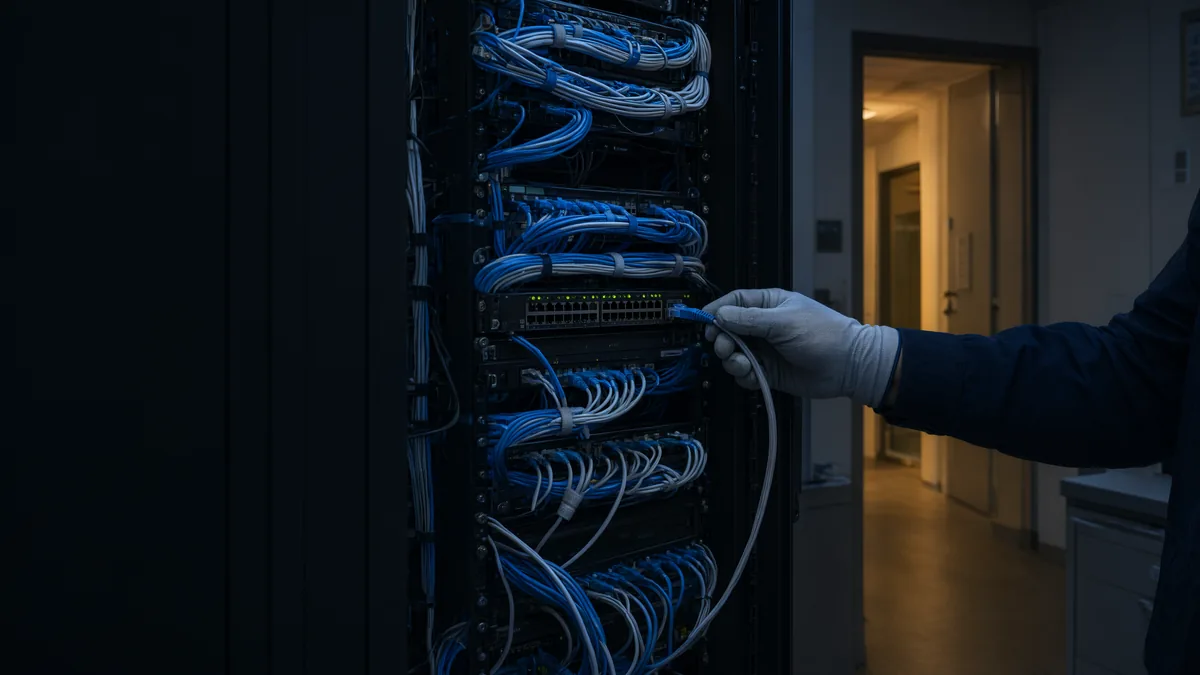
Cameras, recorders and door controllers are a known weak point: default passwords, firmware that is rarely updated, and manufacturer cloud services. The Canadian Centre for Cyber Security's baseline controls for small and medium organizations include securely configuring devices and establishing perimeter defences, and its guest Wi-Fi guidance (ITSAP.80.023) recommends separating devices that don't need access to your primary network. Cameras are a textbook case.
- Cameras and access control hardware sit on their own VLAN, separated from staff computers and servers by firewall rules.
- Devices can talk to the recorder and the access controller, and nothing else unless needed.
- Default passwords are replaced with unique ones stored in a password vault.
- Unused services (Telnet, UPnP, open cloud peer-to-peer features) are turned off.
- Firmware is kept current on a schedule, with a record of versions.
Access control and integration
Electronic door access replaces keys with cards, fobs or mobile credentials that can be issued and revoked centrally. When someone leaves, their credential is cancelled the same day, which is far simpler than rekeying locks.
We tie door access into your onboarding and offboarding process so the HR and IT checklists include issuing and cancelling credentials. Door events can be linked to camera footage so you can see who used a card at a given door and time. Access schedules keep sensitive rooms locked outside business hours, and door logs are retained alongside footage.
Remote viewing, securely
Owners and managers want to check cameras from their phone. Done carelessly, that means forwarding ports on the firewall to the recorder, which exposes it to the whole internet. We avoid that.
Remote viewing goes through your VPN or a zero-trust access service, or through the manufacturer's cloud service with multi-factor authentication and named user accounts. Viewing permissions are limited to people who need them, and remote viewing activity is logged where the system supports it.
Privacy and signage
Video of identifiable people is personal information. The Office of the Privacy Commissioner of Canada's Guidelines for Overt Video Surveillance in the Private Sector set out ten points, including: consider less privacy-invasive alternatives, use cameras only for a stated business reason, limit the viewing range, post clear notice before people enter the monitored area, store recordings securely with limited access, destroy them when no longer needed, and periodically re-evaluate the need.
Cameras must not be aimed at places with a heightened expectation of privacy, such as washrooms or change rooms, and audio should not be recorded without a specific need. Employee monitoring brings additional considerations; in Ontario, employers with 25 or more employees need a written electronic monitoring policy, and camera use should be described there.
- Written video surveillance policy: purpose, camera locations, who can view, retention and disposal.
- Signs at entrances before the monitored area.
- A process for access requests from people captured on video.
- Annual review of whether each camera is still needed.
Maintenance
Our team in Vaughan, Toronto and Vancouver can take on an existing system or design a new one, and fold it into your managed IT support.
Monthly
Check every camera is recording, images are clear and timestamps are correct (accurate time matters if footage becomes evidence).
Quarterly
Apply firmware updates, review user accounts on the recorder and access system, and remove leavers.
Yearly
Review coverage and retention against the policy, test exporting footage, and check storage health.
After an incident
Export footage promptly with a record of who exported it, and preserve the original on the recorder until the matter is resolved.
Related work.
- Case studyRecovering a Total ERP Database Outage in a Single MorningHow IT Rapid Support traced a total Spire database outage to a changed server network profile and had every affected workstation back the same morning.
- Case studyCleaning Up a Microsoft 365 Tenant for a Fire Protection & Security CompanyHow IT Rapid Support audited every Microsoft 365 group for a GTA fire protection company, fixed mail routing, and cut an 82,456-item mailbox by 62%.
Related.
- PracticeManaged IT SupportHelpdesk and break/fix, networking, security systems, devices, Microsoft 365, cloud and backup.
- ServiceNetwork Security Services for Toronto and GTA BusinessesNetwork security services protect the firewalls, switches, Wi-Fi and remote access that connect your business, and watch them for intrusions.
- ArticleElectronic monitoring of employees in OntarioOntario employers with 25 or more employees must have a written policy saying whether and how they electronically monitor staff.
- ServiceBusiness Wi-Fi design and installationOffice Wi-Fi that drops video calls, a warehouse where scanners lose signal in the back aisles, a guest network that sits on the same network as your file server: these…
Want this handled for your business?
Tell us your users, devices and sites. We are staffed 24/7 and reply with next steps. Quotes are built from your environment, not a price list. Active incident? Call (289) 582-9930, 24/7.