
Ransomware response in Toronto and Ontario
A plain sequence for a 20 to 200 person organization hit by ransomware: isolate, preserve, scope, recover, assess data theft and notify, with evidence kept intact for counsel and your insurer.
Reviewed by the ITRS security team · Last updated
If ransomware has hit your business, disconnect affected machines from the network without powering them off, protect your backups, and call an incident responder. IT Rapid Support (ITRS), based in Concord (Vaughan), responds to ransomware for organizations in Toronto, the GTA and across Ontario, 24/7 at (289) 582-9930.
We contain the attack while keeping the evidence your insurer and counsel will ask for, establish whether data was stolen as well as encrypted, and help your IT team restore from known-good backups so the attacker is not restored with them.
Signs it's ransomware, and the first hour
Files that will not open and have a new extension, a ransom note on desktops or file shares, servers that suddenly go dark, or a threatening email claiming your data has been stolen. Sometimes the first sign is earlier: backups failing, unexplained admin accounts, or security tools switched off overnight.
The Canadian Centre for Cyber Security's ransomware playbook (ITSM.00.099) and the joint CISA #StopRansomware Guide both put isolation first. In practice, the first hour looks like this:
Disconnect, don't power off
Unplug affected machines from the network or disable Wi-Fi. Leave them on where you can: memory can hold encryption keys, attacker tools and network connections that disappear on shutdown.
Protect the backups
Take backup systems offline or confirm they are isolated. Attackers routinely target backups before encrypting.
Call your insurer's claims line and counsel
Many cyber policies have notice requirements and rules about which vendors you can use. Read the notice clause before you sign anything.
Start a written log
Who noticed what, when, and every action taken since. Times matter later.
Don't contact the attacker
Do not reply to the note or visit the leak site from a company device. That decision belongs to leadership with counsel.
Containment without destroying evidence
The instinct is to wipe and rebuild immediately. Doing that before evidence is captured often means you can never answer how the attacker got in, how long they were there, or whether data left the network, which are exactly the questions your insurer, regulators and clients will ask.
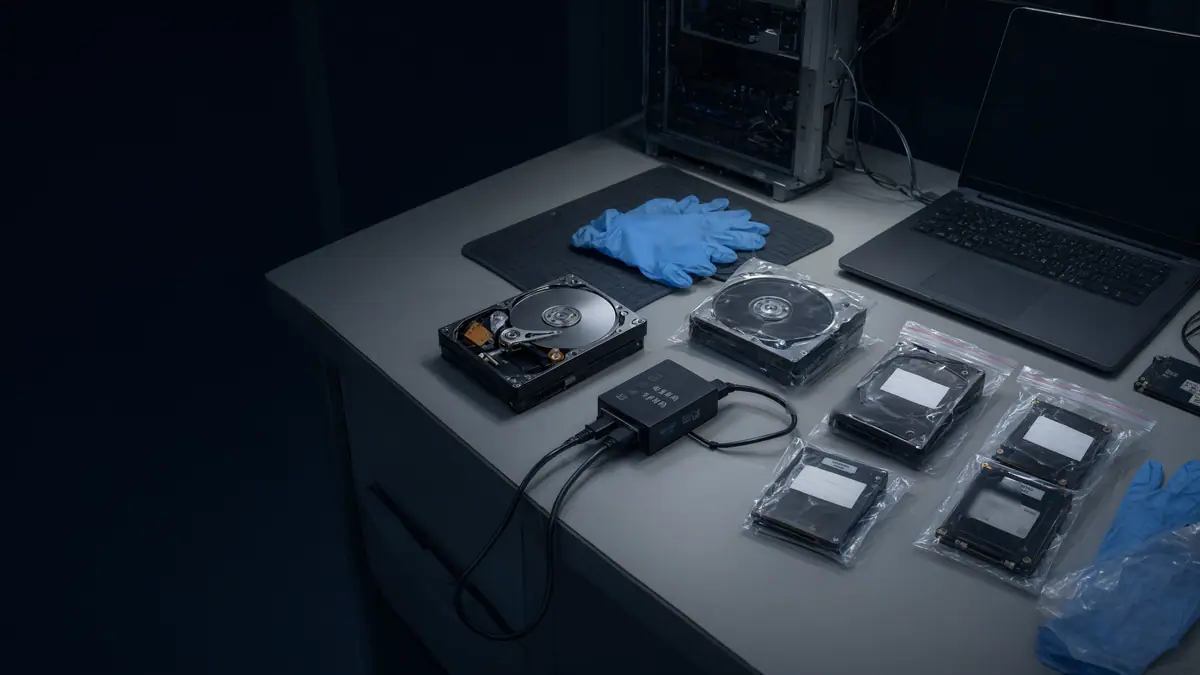
We contain in a way that keeps the record: disabling compromised accounts and resetting privileged credentials, blocking attacker infrastructure at the firewall, isolating segments, and capturing memory and disk images of key systems (domain controllers, file servers and the first machine affected) before any rebuild. Every item collected is logged and hashed so its integrity can be shown later, in line with ISO/IEC 27037 practice.
Scoping: encryption, persistence, data theft
Scoping answers three separate questions. They are often confused, and each needs its own evidence.
| Question | Typical evidence |
|---|---|
What was encrypted or damaged? | File system inventory, ransom notes, encryptor binaries, backup catalogues |
How did they get in and are they still here? | VPN and remote access logs, Windows event logs, EDR telemetry, new accounts, scheduled tasks and remote tools |
Was data taken before encryption? | Firewall and proxy logs, cloud storage uploads, archiving tools such as 7-Zip or WinRAR, rclone and similar sync utilities, leak site claims |
Recovery paths: backups, rebuild, restore verification
Recovery is planned, not improvised. We help your IT team or ours decide between restoring from backup, rebuilding clean, or a mix, based on what the scoping found. Restoring a system with the attacker's persistence still in it is a common way to be hit twice.
Before restored systems go back into production we check that backups pre-date the intrusion, rebuild identity infrastructure where it was compromised, rotate credentials (including service accounts and the krbtgt account in Active Directory), and confirm monitoring is in place to catch a return visit. The CCCS playbook's recommendation of multiple backups, including offline copies, becomes the post-incident baseline.
If counsel or an insurer is already involved, see forensics for breach counsel and insurers.
The payment question
The Canadian Centre for Cyber Security says the decision is yours, but paying does not guarantee you get your data or systems back, attackers may run wiper malware after payment, and payments fund further crime. Report to police before you consider paying. Statistics Canada found 84% of Canadian businesses hit by ransomware in 2025 did not pay.
Whether to pay is a business and legal decision for leadership, counsel and your insurer. We do not negotiate with threat actors or facilitate payments. What we provide is the factual input that decision needs: whether working backups exist, how long a rebuild will realistically take, what data appears to have left, and whether the group involved is known for leaking regardless.
The Canadian Centre for Cyber Security notes that paying does not guarantee you will get your data back, and recommends reporting to police before considering payment. Sanctions and anti-money-laundering rules may also be relevant; that analysis belongs with counsel.
Notification and insurer coordination
If personal information was involved, PIPEDA requires organizations to report breaches of security safeguards that pose a real risk of significant harm to the Office of the Privacy Commissioner of Canada, notify affected individuals, and keep records of all breaches. Provincial laws, sector regulators and contracts with clients can add their own obligations and timelines.
Our role is to give counsel defensible facts: a preliminary findings summary, then a final report with timeline, scope, evidence of data access or exfiltration (or the absence of it), and the limits of what the logs could show. Adjusters typically need the same facts plus a record of costs, so we track our time and actions to make that straightforward.
After: hardening and lessons learned
NIST SP 800-61 Rev. 3 (2025) treats lessons learned as part of continuous improvement, not a meeting at the end. We turn the root cause into specific changes:
- MFA on every remote access path, and removal of exposed RDP or unpatched VPN appliances
- Separate, MFA-protected admin accounts and fewer standing privileges
- Immutable or offline backups with a tested restore
- Endpoint detection and response with someone watching the alerts
- An updated incident response plan and a tabletop exercise to test it
Ransomware response across Ontario
ITRS takes ransomware matters across Toronto, Vaughan, York Region, Peel, Durham, Halton and the rest of Ontario, and in British Columbia from our Vancouver office. Much of the first day is remote: triage calls, log collection and containment guidance to whoever is on site. Where servers or laptops need to be imaged, we arrange it. We have done incident work since 2018 and carry $2 million in cyber liability insurance.
If your insurer has a vendor panel, call the claims line first and check the policy's vendor rules. Where breach counsel is retained, we work under counsel's direction; see forensics for counsel, insurers and brokers.
FAQ
Disconnect them from the network instead. Memory can hold encryption keys, attacker tools and network connections that disappear on shutdown. The exception is when a responder or your IT team tells you a specific machine must be powered down to stop encryption spreading.
That is a decision for leadership with counsel and your insurer, and the payment section above sets out the Cyber Centre's position. We do not negotiate with or pay attackers; we give you the facts the decision depends on, starting with whether usable backups exist and whether data left the network.
Your local police, the Canadian Centre for Cyber Security through its online portal at cyber.gc.ca, and, if personal information may be affected, assess whether the breach must be reported to the Office of the Privacy Commissioner of Canada. Your cyber insurer usually needs notice early. See who to tell after a cyber incident.
Often, but not always. Firewall, endpoint and cloud logs can show large outbound transfers or use of file-sharing tools. Where logging was missing, the report says what cannot be ruled out, which matters for notification decisions.
They are usually essential for access and recovery. Most day-to-day IT teams do not preserve evidence or write reports for insurers and counsel, so the two roles work together: they restore, we investigate and verify.
Related work.
- Case studyFrom Breach Forensics to a Company-Wide Identity PlanFrom reconstructing a 2018 mailbox compromise minute by minute to scoping centralized Entra ID and Intune management for a 40 to 50 person pharma firm.
- Case studyCleaning Up a Microsoft 365 Tenant for a Fire Protection & Security CompanyHow IT Rapid Support audited every Microsoft 365 group for a GTA fire protection company, fixed mail routing, and cut an 82,456-item mailbox by 62%.
Related.
- PracticeCyber Forensics & AssuranceIncident response, digital forensics, penetration testing and independent attestation.
- ServiceIncident ResponseA 24/7 line to responders who contain first, preserve evidence second and explain everything.
- ServiceBackup and Disaster Recovery Services in Toronto, North York and the GTABackup and disaster recovery services protect a Toronto business by copying its data automatically to local and cloud backups, checking those backups every day…
- ServicePrivacy breach assessment and notification supportAfter a cyber incident, someone has to turn log files and mailbox exports into a defensible answer to three questions: whose information was involved, how much risk it…
- PageIncident response FAQShort, plain answers to the questions people ask in the first hours of a cyber incident: whether to turn things off, whether to pay, who to tell, and how insurance and…
- PageUnder attack? Start hereIf something is wrong right now, this page tells you what to do in the next few minutes, what to avoid, and which step-by-step guide fits what you are seeing.

Under attack right now?
Call before you reset passwords, wipe a laptop or pay anyone. A responder will help you contain the incident without destroying the evidence you will need later.